How do I change my login email address?
Please log in to My Account using the same credentials you use to log in to the NuCalm app.
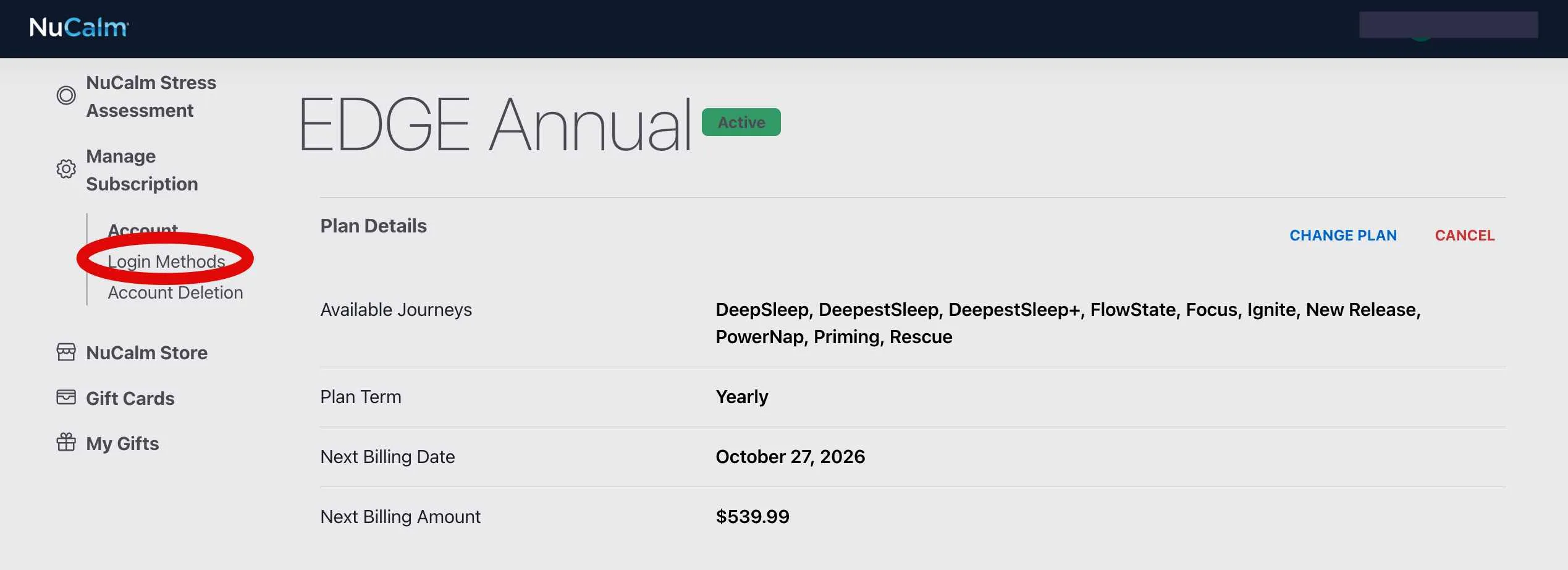
On the left-hand side, under “Manage Subscription”, you can click “Login Methods”.
In this section, you can change your login email address, password, and add a social login.
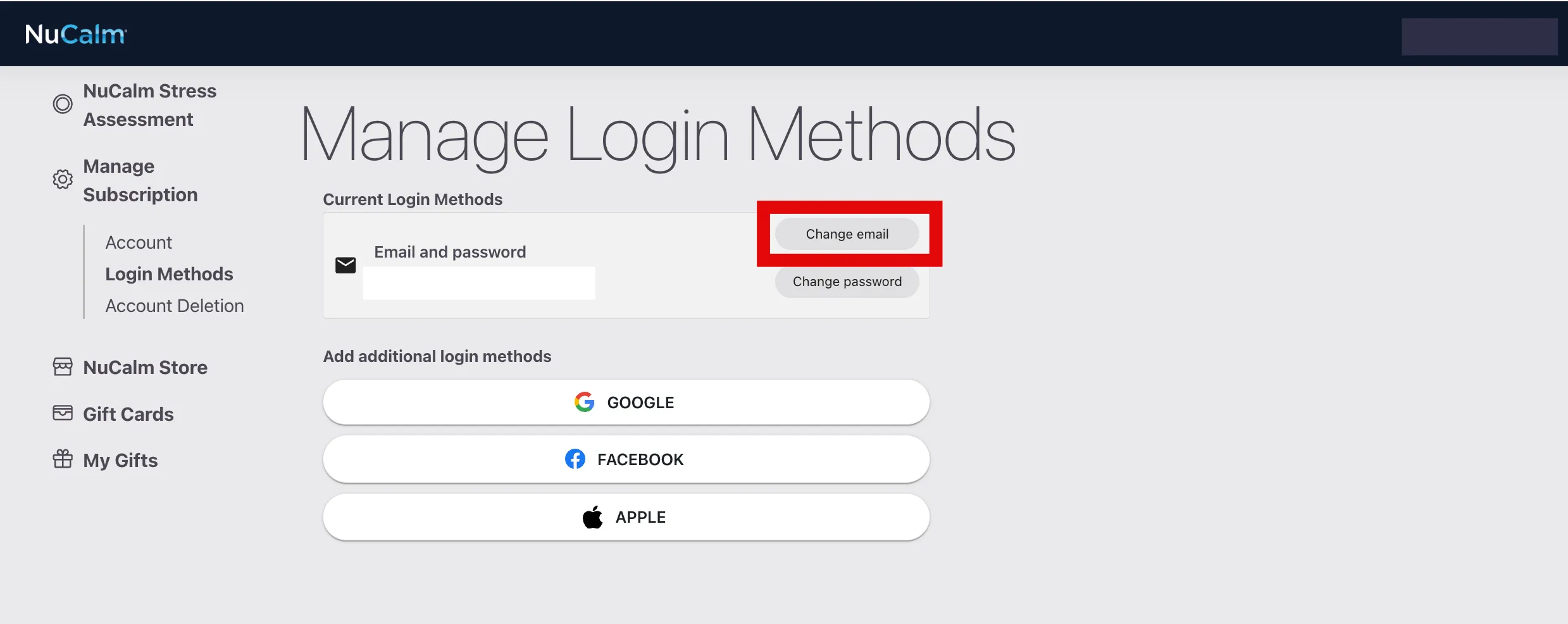
Please keep in mind that your new username will also be the username you will use to manage your online account. If you signed up with Google, Apple, or Facebook please change your username using their tools.